Customer Facing Display POS System
Experience a Dynamic and Interactive Customer-Facing Display
Create enjoyable and secure customer experiences with an interactive display that helps increase loyalty.
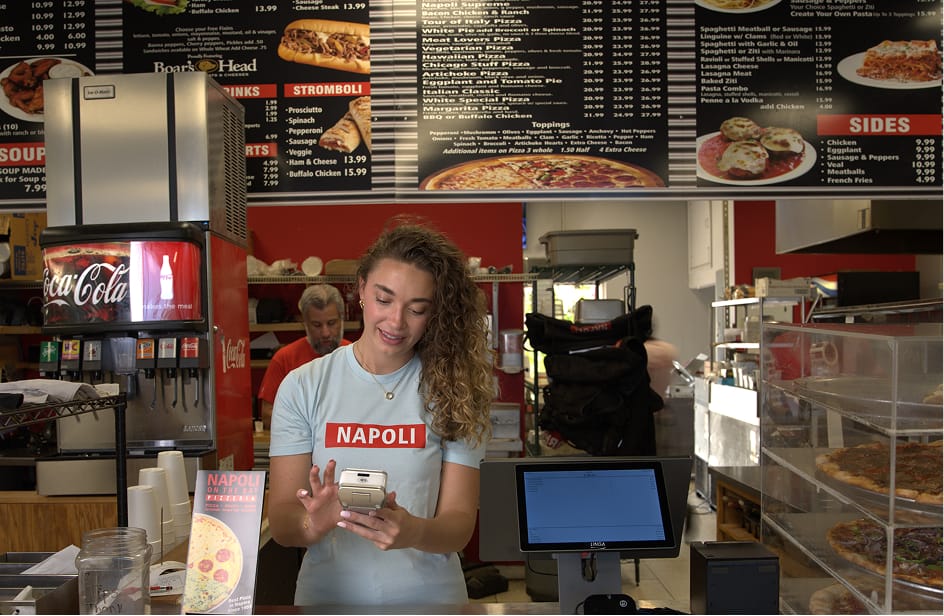
- REAL-TIME TRANSACTION VIEW
- CUSTOM BRANDING
- ONE-CLICK LOYALTY PROGRAMS
Customer Facing Display POS System
Experience a Dynamic and Interactive Customer-Facing Display
Create enjoyable and secure customer experiences with an interactive display that helps increase loyalty.
- REAL-TIME TRANSACTION VIEW
- CUSTOM BRANDING
- ONE-CLICK LOYALTY PROGRAMS
Boost Customer Engagement with Personalized Promotions and Prompts
Boost Customer Engagement with Personalized Promotions and Prompts
Offer a customer-facing display that shows real-time transaction information, customer payment screens, and loyalty reward programs signups, all at checkout.
Order Accuracy
Easier Checkout Process
Offer a display where customers can see the order and their total price in real-time.
Tip Processing
Allow customers a way to add a tip with ease on a personalized checkout screen.
Reduce Risk
Allow customers to remain in possession of their debit/credit card during checkout.
Brand Promotion
Brand Exposure
Customize your user-facing display system with your logos and images.
Upsell Opportunity
Add a promotional message to customer-facing displays to boost special menu items.
Add a Unique Touch
You can incorporate specific color schemes or create a slideshow of images to display.
Loyalty Rewards
Sign up and Save
After purchases, customers can opt into your loyalty program and start earning rewards.
Offer Rewards
Give customers an option to sign up for rewards while they wait to complete their orders.
Regional Ads
Create zip-code targeted advertisements for different customer facing display terminals.
Order Accuracy
- ●
Easier Checkout Process
Offer a display where customers can see the order and their total price in real-time.
- ●
Tip Processing
Allow customers a way to add a tip with ease on a personalized checkout screen.
- ●
Reduce Risk
Allow customers to remain in possession of their debit/credit card during checkout.
Brand Promotion
- ●
Brand Exposure
Customize your user-facing display system with your logos and images.
- ●
Upsell Opportunity
Add a promotional message to customer-facing displays to boost special menu items.
- ●
Add a Unique Touch
You can incorporate specific color schemes or create a slideshow of images to display.
Loyalty Rewards
- ●
Sign up and Save
After purchases, customers can opt into your loyalty program and start earning rewards.
- ●
Offer Rewards
Give customers an option to sign up for rewards while they wait to complete their orders.
- ●
Regional Ads
Create zip-code targeted advertisements for different customer facing display terminals.
Create Better Customer Experiences with On-Screen Signatures
Let customers sign directly on-screen during payment—fast, secure, and hassle-free.
Digital Signature
Replace pen and paper with tablet-based signature capture.
Quick and Secure
Customers handle their own cards—secure and seamless.
Give Customers the Option to Automatically Add or Adjust Tips
Let guests add or modify tips on-screen for faster service and more flexible checkouts.
Empower Your Customers
Guests choose tips directly from a customer-facing display.
More Transactions
Increase speed and serve more guests with less effort.
Frequently Asked Questions
Can't find the answers you're looking for?
Reach out to our Customer Support team.
LINGA CFD allows the merchant to show orders, allow confirmation of payment, loyalty sign ups, payment options, show store ads, and customer receipts all on a front facing screen to the customer.
The loyalty activity history of the customer enables you to establish a relationship without the need for direct contact.
Yes, depending on the OS being used. For Android, we offer the option of purchasing the Charisma with or without the CFD. For web, an additional montior/device would be required.
The CFD and POS communicate across the same network connection. Once the license has been enabled, under the Hardware setting you will toggle on the display or input the device's IP address to establish communication and accept prompts/information from the POS.